

Getting into an online casino should be straightforward, but it is worth taking a moment to understand the sign-in process before you play. This guide explains how UK players can approach the Casino Amigo log in, what to check if access fails, and how to keep an account secure. It also covers practical points to consider before depositing, because a smooth login is only one part of choosing an online casino responsibly.
How to log in to Casino Amigo
Start by visiting the casino’s official website and checking that the address is correct. Avoid links in unsolicited emails, text messages, or social media posts: a convincing-looking imitation site could be designed to collect passwords or payment details. If you have bookmarked the official page, use that bookmark rather than searching for a sign-in link every time.
- Open the official Casino Amigo website in your browser.
- Select the Log In or equivalent account-access button.
- Enter the email address or username associated with your account.
- Type your password carefully, checking for accidental spaces and whether Caps Lock is on.
- Complete any additional verification requested on screen.
Once signed in, check that the account name and balance shown are yours. If anything looks unfamiliar, do not make a deposit or continue playing. Sign out and contact the casino through its verified support channel.
Before creating an account
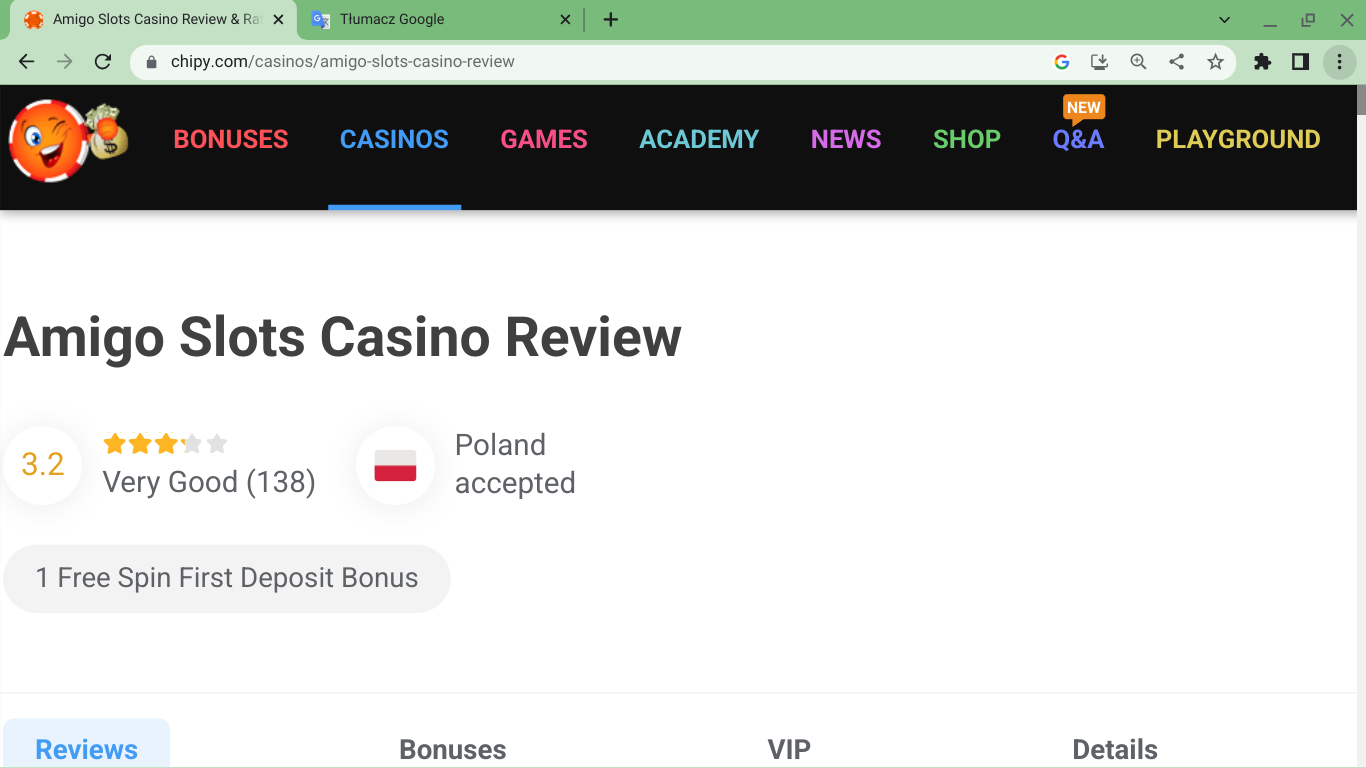
Casino websites and their terms can change, so check the current information directly with the operator rather than relying on old reviews or promotional pages. In particular, UK players should confirm that the casino is permitted to offer gambling services to them and that its licensing information is clear. The UK Gambling Commission’s public register is a useful place to check whether an operator holds a UK licence.
Read the terms that apply to registration, deposits, withdrawals, identity checks, and promotions. Make sure you understand the available payment methods and any limits or fees before moving money. A promotion may have wagering requirements, expiry dates, maximum cash-out rules, or game restrictions. Do not assume that a bonus is equivalent to withdrawable cash.
Account access problems and practical fixes
Forgotten password
Use the password-reset option on the official sign-in page. Follow the instructions sent to the email address registered to the account, and check spam or junk folders if the message does not arrive. Never send your password to customer support; legitimate support staff should not need it. If you no longer control the registered email address, ask support about the official account-recovery process.
Incorrect username or password
Check whether you registered with an email address, a username, or another sign-in method. Autofill can insert outdated information, so try entering the details manually. If several attempts fail, pause rather than repeatedly guessing: the account may be temporarily locked for security. Use the reset process or contact support instead of trying variations that could trigger further checks.
Verification and account checks
An operator may ask for information to confirm identity, age, address, or payment ownership. This is a routine part of regulated gambling, but documents should only be submitted through the casino’s secure, official account area. Do not share identity documents in an open chat, on social media, or through an unverified link. If the requested checks seem unclear, ask support to explain what is needed and why.
Website or browser issues
If the page does not load, check your internet connection and try refreshing once. You can also update your browser, clear its cache, or use another trusted browser. Avoid installing software or browser extensions promoted by unofficial pages as a supposed fix. If the site is unavailable across devices, it may be a temporary service problem; wait and check the operator’s official notices before taking further action.
Keeping your account secure
- Choose a long, unique password that you do not use on other websites.
- Use a password manager if you need help storing it securely.
- Do not share your login details, even with friends or people claiming to represent the casino.
- Sign out after using a shared device, and avoid saving passwords on public computers.
- Keep your device, browser, and security software up to date.
- Check account activity and contact support promptly if you notice access you do not recognise.
Be cautious with messages that create urgency, promise guaranteed wins, or ask you to “verify” your account through a shortened or unfamiliar link. Open the casino’s website yourself and check for notices there. If you think your password has been exposed, change it through the official site and update it anywhere else you reused it.
Using Casino Amigo on a mobile device
Many casino websites are designed to work in a mobile browser, but the precise experience depends on the site and device. You can try the official website on your phone or tablet and use its own navigation to reach the login page. Before installing an app, confirm that it is linked from the casino’s official website and is available from a trusted app store. Do not install an application file from an unknown source.
For mobile security, use a screen lock and avoid signing in over public Wi-Fi when handling sensitive account details. If the page is difficult to use on a small screen, switch to a larger device rather than repeatedly tapping buttons or entering information you cannot read clearly.
Questions and answers
What should I do if I cannot access my account?
Use the official password-reset tool first. If that does not resolve the issue, contact the casino’s verified support team and provide only the information they request through a secure channel. Do not create a second account to get around a lock or verification check; duplicate accounts may breach the operator’s terms and complicate access to funds.
Why might the casino ask me to verify my identity?
Age and identity checks help an operator meet legal and security obligations. Checks may also be needed before withdrawals or when account details require confirmation. Submit documents only through the official secure process, and ask support if you are unsure about the purpose or accepted document types.
Can I use a bonus immediately after logging in?
First check whether the offer is available to your account and whether you must opt in or enter a code. Read the full conditions before depositing or wagering. A code should never be treated as a guarantee of winnings or a substitute for checking bonus restrictions. For example, the phrase Amigo Casino coupon code may appear in promotional searches, but use an offer only if it is confirmed on the casino’s official website and its terms are acceptable to you.
What if I see a balance or transaction I do not recognise?
Stop using the account, take note of the details, and contact support through the official website. If the issue involves a payment card or bank account, contact your financial provider as well. Change your password if you suspect unauthorised access, and do not share full card details or security codes in a support conversation.
Responsible play for UK players
Online gambling involves the risk of losing money, and no login method, game, or promotion changes the odds. Set a budget before playing and treat it as an entertainment expense, not a way to earn income. Decide in advance how long you will play, and stop when you reach your limit. Never gamble with borrowed money or funds intended for essentials.
Check whether the casino offers account controls such as deposit limits, time reminders, time-outs, or self-exclusion, and use them if they would help you stay within your plans. If gambling is causing stress or affecting your finances or relationships, take a break and seek support. UK residents can find confidential help through organisations such as GamCare and the National Gambling Helpline. If you are under 18, do not gamble.
A simple pre-play checklist
- Use the official website and confirm the operator’s current UK licensing position.
- Sign in with a unique password and protect access to your email account.
- Understand identity checks, payment rules, and withdrawal conditions.
- Read every promotion’s terms before opting in or depositing.
- Set spending and time limits before opening a game.
- Contact verified support if account access, balances, or transactions seem unusual.
A careful approach makes the Casino Amigo log-in process easier to manage and reduces avoidable security problems. Take time to verify the site, protect your credentials, and understand the rules before playing. If the casino’s current terms, licensing, or support information cannot be confirmed, do not provide personal or payment details until you have checked further.